Advertisement

The Language of Mergers and Acquisitions: M and A Deal Spanish Vocabulary
By Juliana Daniel / Mar 23, 2026

How to Invest in Technology Disruptors
By Juliana Daniel / Jan 20, 2026

Decoding the Consumer Confidence Index: A Key Economic Metric
By Juliana Daniel / Jan 13, 2026

Distinguishing Subordinated Debt from Senior Debt: Key Financial Distinctions
By Kelly Walker / Jan 03, 2026

Best Secured Personal Loans
By Kelly Walker / Feb 14, 2026

How to Save Money on Beauty Products
By Juliana Daniel / Jan 02, 2026
Advertisement
Spanish for Software Localization: Key Concepts for Product Managers
Mar 23, 2026 By Juliana Daniel
Forget "Hello World." Can Your App Say "Hola, Mundo" Without Saying "Hola, Chaos"?
You've built something incredible. The code is clean, the UX is butter-smooth, and the roadmap is packed. You're ready for that big Latin American launch. Then someone opens the app in Mexico City and sees that your brilliantly witty "Let's get this bread!" CTA now says, "¡Vamos a obtener este pan!" Literal. Awkward. Makes zero sense. This isn't just a translation fail. It's a trust fail. It screams "we didn't think about you." Let's fix that.
Why the "Translate Button" is Your Product's Biggest Enemy

Here's the thing: Google Translate is amazing for menus or quick texts. But for your product? It's a trap. Software localization isn't swapping words. It's about swapping *context*. It's understanding that "notifications" might be "notificaciones" in Spain, but "avisos" feels more natural in much of Latin America. That a playful "Oops, something went wrong!" might need to be more direct and reassuring in another culture. The button promises a cheap fix. It delivers a cheap product. You're better than that.
Context is King: The Tiny Words That Make or Break a User
Think about "you." Simple, right? In Spanish, you have formal (*usted*) and informal (*tú*). Does your fitness app use the familiar "tú" to feel like a workout buddy? "¿Listo para tu próximo desafío?" Or is it a B2B financial tool that demands the respectful "usted"? "Por favor, verifique su información." This choice sets the entire relationship tone. It's in the buttons ("Continuar" vs. "Siguiente"), the error messages, the empty states. These micro-copies aren't filler. They're your product's personality in a new language.
Beyond the Screen: Dates, Numbers, and Cultural Landmines
Your code works globally. Your design shouldn't assume it. A date formatted as MM/DD/YYYY will be read as DD/MM/YYYY in most Spanish-speaking countries. That's a massive UX bug waiting to happen. Currency? Don't just convert the number. Use the right symbol ($ could mean USD, MXN, ARS, CLP...) and formatting (commas and decimals swap places in many regions). Measurement systems? If you're in logistics or real estate, metric vs. imperial isn't a preference. It's the law of the land. These aren't translation tasks. They're product logic tasks.
One Spanish to Rule Them All? Think Again.
This is the big one. "Neutral Spanish" is a myth. It's a useful starting point, but it's bland. It's the linguistic equivalent of beige. True localization means accepting variation. In Spain, a computer is an *ordenador*. In Latin America, it's a *computadora*. A car is a *coche* or an *auto* or a *carro*. "Cool" can be *guay*, *chévere*, *copado*, *padrisimo*. The goal isn't to pick one "right" version. The smart move? Plan for it. Your localization kit needs to support regional variants. It tells your users in Bogotá, Barcelona, and Buenos Aires that you see *them*, not just a "Spanish-speaking market."
Start with the Glossary, Not the Deadline
Before a single line of UI text gets translated, build your Term Base. This is your source of truth. Define every key noun, verb, and phrase in your product. What do *we* call the user? What's *our* word for a subscription, a project, a feed? This isn't busywork. This is what separates a professional, consistent product from a janky translated one. It prevents your support team from being "soporte" in one screen and "servicio al cliente" in another. It gives your translators (human or tool-assisted) a fighting chance. It turns a localization project from a panic-driven cost center into a strategic, scalable part of your product DNA.
On this page
Forget "Hello World." Can Your App Say "Hola, Mundo" Without Saying "Hola, Chaos"? Why the "Translate Button" is Your Product's Biggest Enemy Context is King: The Tiny Words That Make or Break a User Beyond the Screen: Dates, Numbers, and Cultural Landmines One Spanish to Rule Them All? Think Again. Start with the Glossary, Not the Deadline
What Is Extended Trading?
By Rick Novak / Jan 19, 2026
Extended trading is the one that occurs after or before regular trading hours of a stock exchange when the whole market is officially closed.
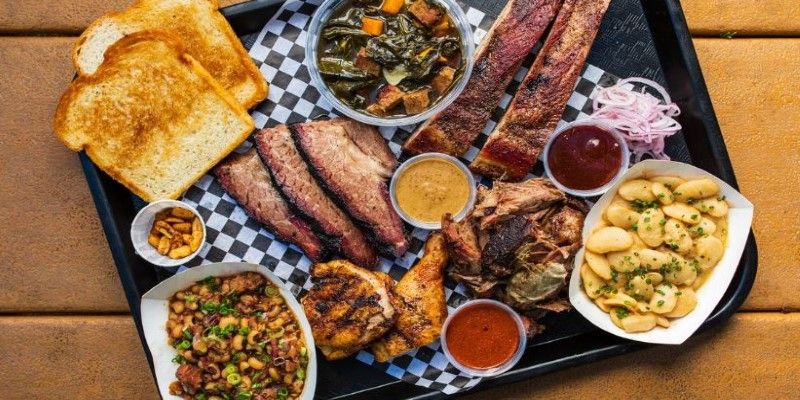
Best of Austin: Top 10 Restaurants Every Foodie Should Visit
By Paula Miller / Mar 11, 2026
Discover the top 10 places to eat in Austin, featuring some of the best restaurants in Austin. Whether you're into tacos, BBQ, or fine dining, this guide has you covered

Investing $100 a Month in Stocks for 30 Years
By Rick Novak / Jan 27, 2026
Want to know how to invest $100 a month? This guide will show you the ropes, including tips on where to invest and what stocks to choose.

Humayun's Tomb, Delhi Information with History, Timings, and More
By Juliana Daniel / Mar 14, 2026
Discover the Mughal splendor and architectural sophistication of Delhi's famed Humayun's Tomb. So, what are you waiting for.

The Spanish of Marketing: From Branding to Digital Analytics
By Juliana Daniel / Mar 23, 2026
The Spanish of Marketing: From Branding to Digital Analytics

How to Save Money on Home Insurance
By Juliana Daniel / Jan 01, 2026
How to Save Money on Home Insurance